Jan 14, 2026
Best Appointment Booking Solution for Framer Websites (and Any Other Website)
Add appointment booking to Framer or any website without a backend. Embed booking widgets, accept payments, and manage all appointments from one dashboard.
Adding appointment booking to a website is still harder than it should be — especially if you don’t want to build or maintain a backend.
While many people look specifically for an appointment booking solution for Framer websites, the real requirement is usually broader:
a booking system that’s easy to embed, flexible, and works across any website platform.
In this guide, we’ll look at what makes a great booking solution for Framer — and why the same approach works just as well for any website, not just Framer.
What Framer Users Actually Need From a Booking Tool
Framer websites are typically:
fast and lightweight
design-driven
often static or semi-static
built without a traditional backend
Because of this, Framer users usually want a booking solution that:
doesn’t require server-side code
embeds cleanly into pages
matches the site’s design
manages availability and bookings externally
These needs aren’t unique to Framer — they apply to most modern websites today.
The Problem With Traditional Booking Tools
Many booking tools fall into one of these categories:
External Scheduling Links
Some tools redirect visitors to an external scheduling page.
Downsides:
breaks the on-site experience
limited customization
weak branding
Custom-Built Booking Systems
Building your own booking system usually means:
backend infrastructure
databases and APIs
calendar logic
ongoing maintenance
This approach is expensive and unnecessary for most websites.
The Better Approach: Embeddable Appointment Booking
A more modern solution is using embeddable appointment booking components.
With this approach:
the booking interface lives directly on your website
all logic and data are handled in a separate admin system
no backend setup is required
your website stays fast and simple
This model works especially well for:
Framer websites
Webflow and other no-code sites
marketing websites
landing pages
personal or business websites
How Appointment Booking Works With Supaframe
Supaframe uses this embeddable approach, making it a strong choice for Framer — while remaining fully platform-agnostic.
Create the Booking Component
Inside Supaframe, you configure:
appointment types
availability and duration
required form fields
optional payments
All setup happens in a visual dashboard — no code required.
Embed It Into Any Website
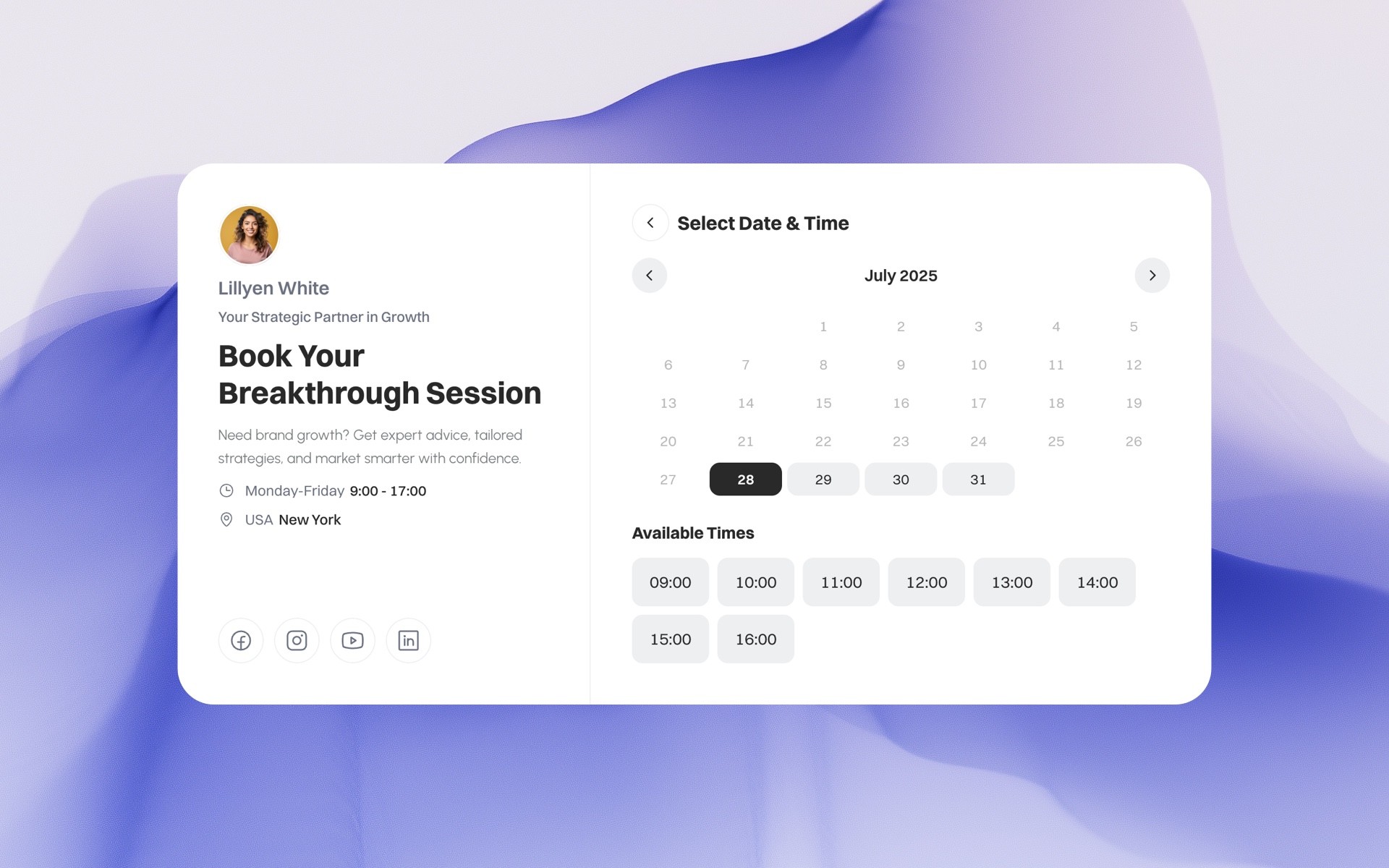
Once created, the booking widget can be added in multiple ways:
embedded directly into a page
opened in a modal popup
used as a floating widget
shared via a public booking link
For Framer users, Supaframe also provides a dedicated Framer component, making setup even easier.
At the same time, the same widget can be embedded into any website using a simple embed or iframe — not just Framer.
Manage Bookings From One Dashboard
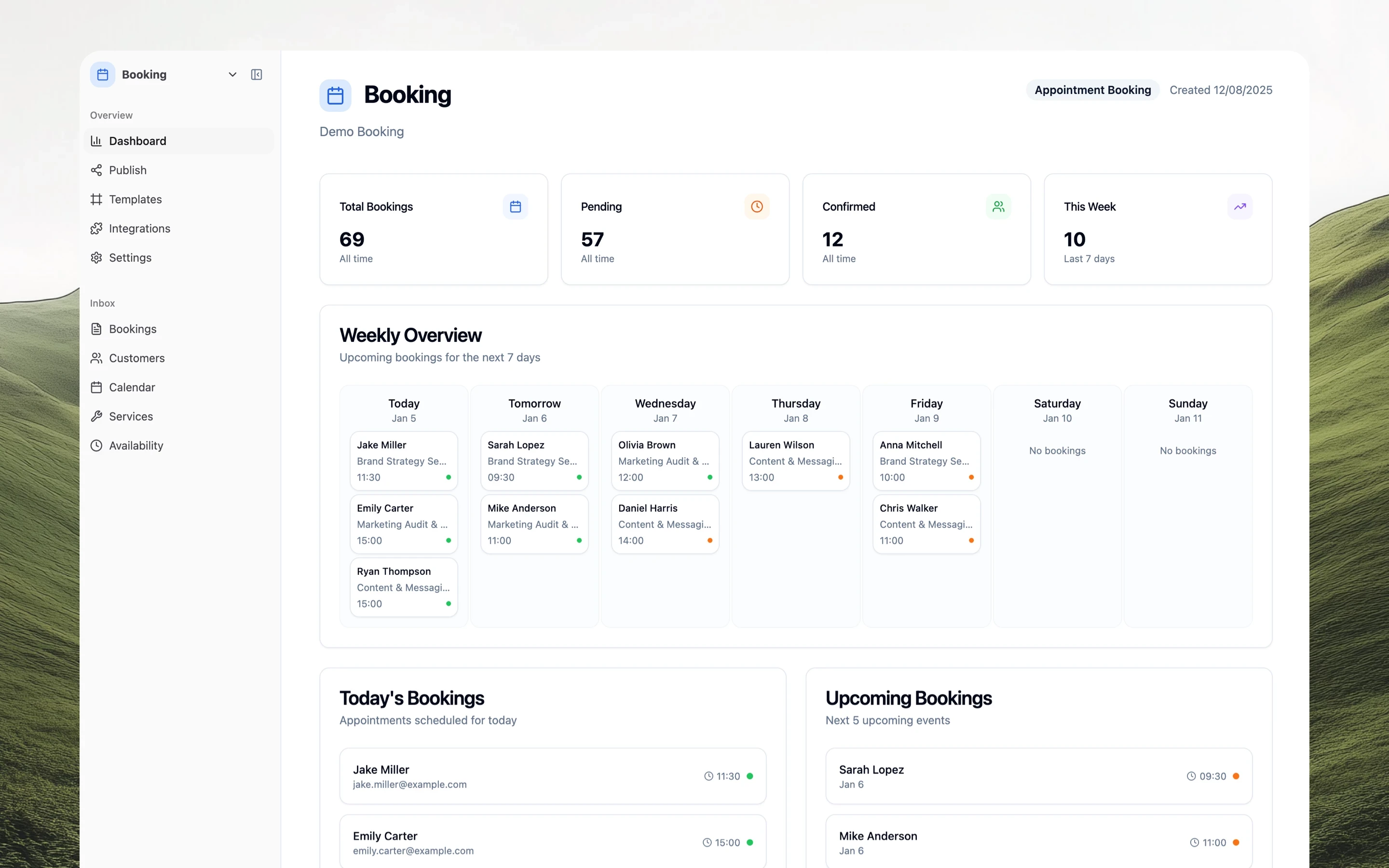
Every booking is stored in a centralized admin panel where you can:
view upcoming appointments
see customer details
manage availability
block time for breaks or private events
export or integrate booking data
This keeps everything organized without relying on email threads or spreadsheets.
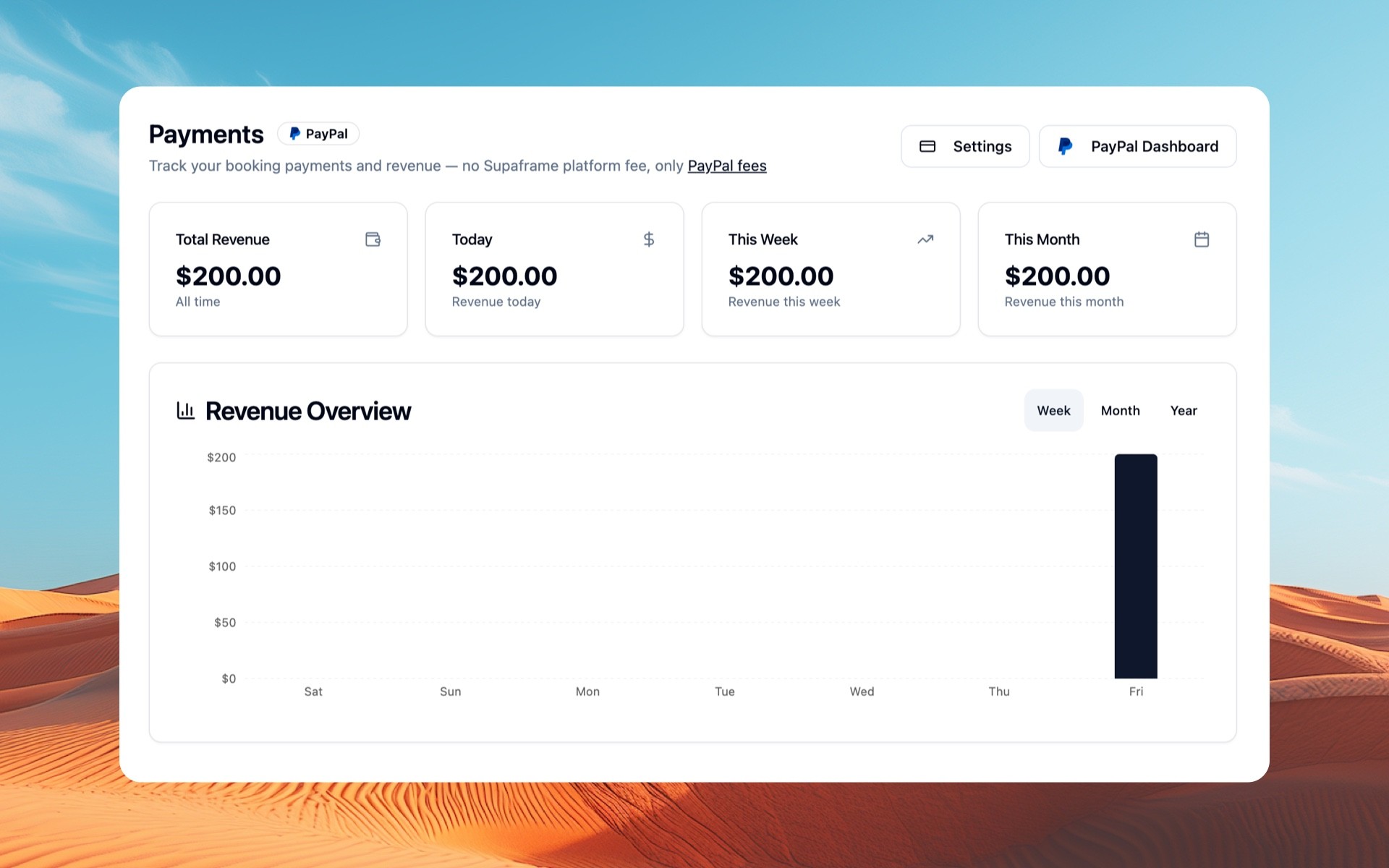
Accepting Payments With Bookings
For many websites, booking alone isn’t enough — payments are often required.
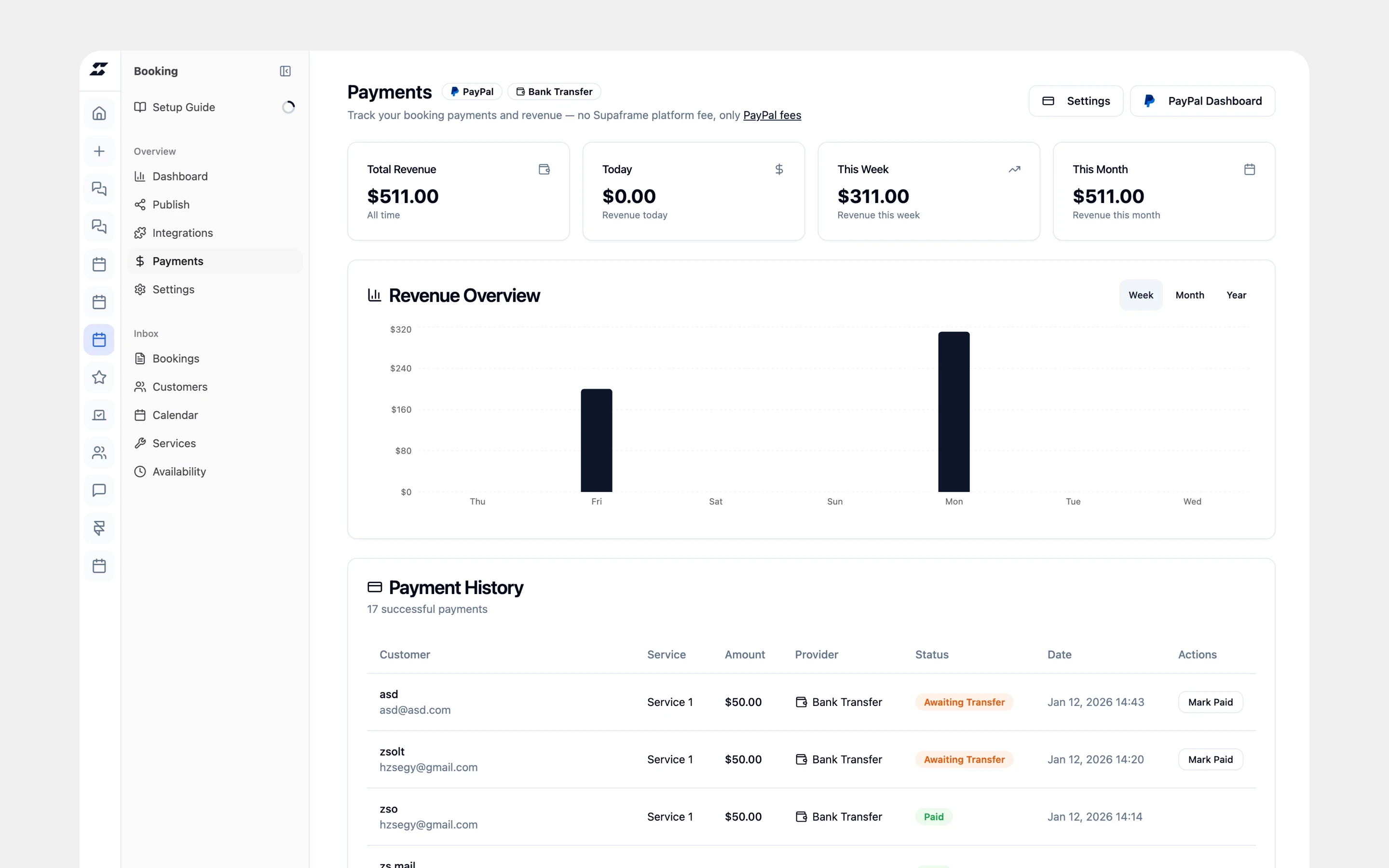
Supaframe allows you to attach payments directly to appointments using:
Stripe
PayPal
Manual bank transfer
This makes it easy to:
require payment before confirming a booking
support different payment preferences
keep payment status tied to each appointment
All payment tracking happens in the same dashboard as bookings.
Why This Works Beyond Framer
Although many people search for a “Framer booking widget,” the real advantage is using a system that isn’t tied to one platform.
With Supaframe:
the same booking setup works across multiple websites
agencies can reuse it for client projects
founders can share booking links anywhere
teams can manage everything centrally
This flexibility makes it a long-term solution — not a one-off integration.
Who This Approach Is Best For
This type of appointment booking setup works especially well for:
consultants and freelancers
solo founders
agencies building client websites
no-code and low-code builders
teams that want simple booking without infrastructure
If you want a booking system that feels native on Framer but isn’t locked to it, embeddable booking components are the most practical option.
Final Thoughts
The best appointment booking solution for Framer websites is one that doesn’t depend on Framer alone.
By using embeddable booking components with a shared admin dashboard, you can add booking to any website — quickly, cleanly, and without backend complexity.
This approach keeps your site lightweight while giving you full control over bookings, customers, and payments.