Jan 14, 2026
How to Add a Chat Widget to Any Website Without Complex Setup
Add a chat widget to any website without backend setup. Use an embeddable chat widget to manage conversations and replies from one dashboard.
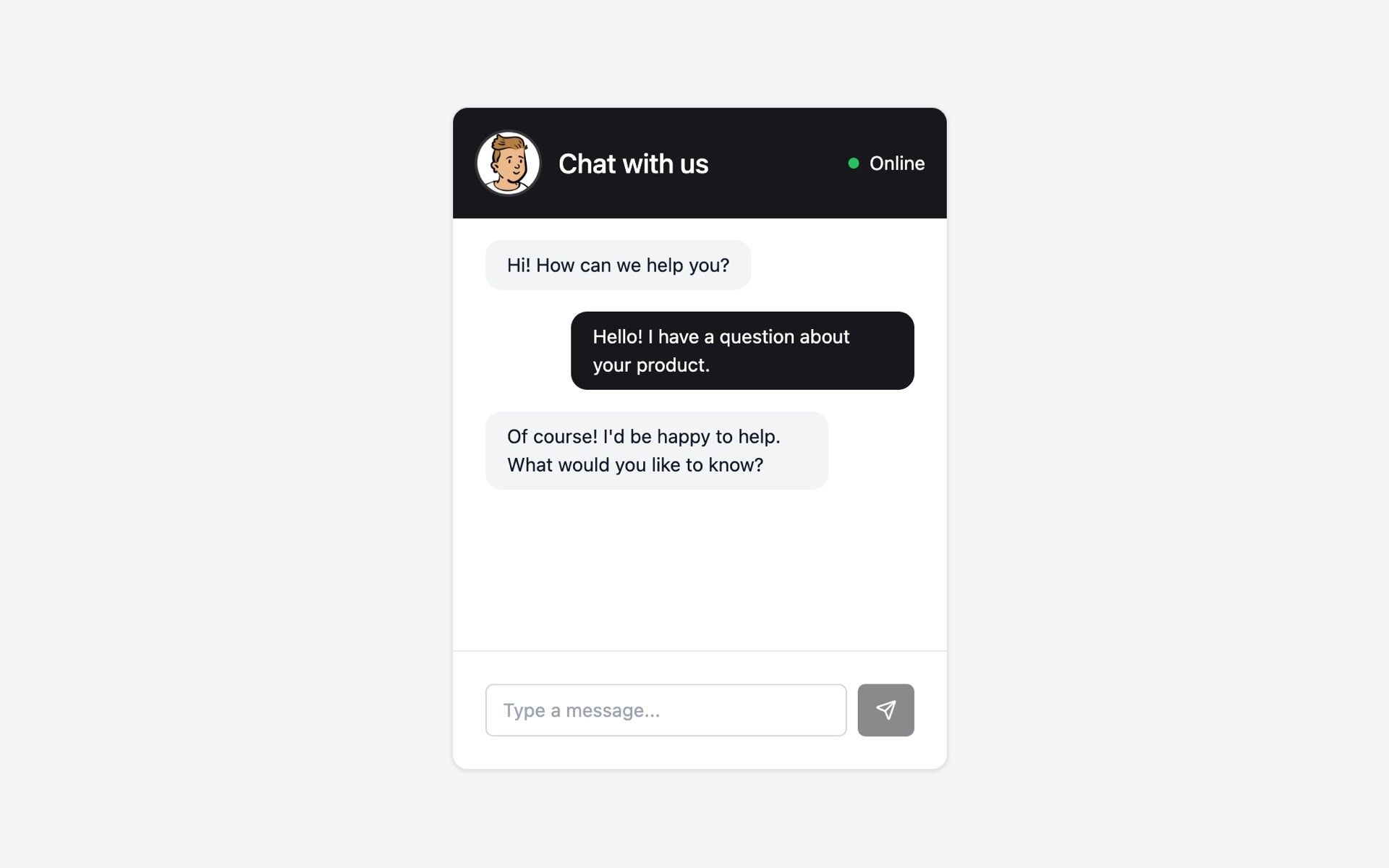
Adding a chat widget to a website used to be a technical challenge.
It often meant setting up servers, managing databases, integrating third-party tools, and maintaining infrastructure just to talk to visitors.
Today, that complexity is no longer necessary.
In this guide, you’ll learn how to add a chat widget for any website without backend development, why modern embeddable chat widgets work better, and which approach makes the most sense for growing teams and businesses.
Create Chat widget with Supaframe.
Why Websites Still Struggle With Chat
Many websites still rely on outdated communication setups:
contact forms with slow email responses
external chat tools that feel disconnected
live chat systems that require complex setup
multiple inboxes with no customer context
These approaches create common problems:
missed messages
delayed responses
lost conversation history
poor customer experience
A website chat widget should make communication easier — not add more tools to manage.
What a Modern Chat Widget for a Website Should Do
A modern chat widget is more than just a message box.
It should:
be easy to embed on any website
work without backend development
store conversations centrally
support both real-time and async replies
adapt to different website layouts
This is where embeddable chat widgets come in.
Website Chat Without a Backend: What That Really Means
When we talk about website chat without backend, we mean:
no server to deploy
no database to configure
no authentication logic to build
no API endpoints to maintain
Instead, the chat widget connects to a dedicated platform that handles:
message storage
conversation management
notifications
admin access
Your website only embeds the chat interface — everything else happens behind the scenes.
This approach is ideal for:
marketing websites
landing pages
SaaS websites
Framer or Webflow sites
static or no-code projects
The Traditional Ways to Add Chat (And Their Downsides)
1. External Chat Platforms
Many sites link to third-party chat tools.
Downsides:
visitors are redirected away
limited design customization
conversations feel disconnected from the site
2. Custom-Built Chat Systems
Building chat from scratch requires:
backend infrastructure
real-time messaging logic
security and scaling considerations
Downside: expensive, slow, and unnecessary for most websites.
3. Contact Forms Instead of Chat
Forms are often used as a chat alternative.
Downside: one-way communication, slow responses, poor UX.
Create Chat widget with Supaframe.
The Better Solution: Embeddable Chat Widgets
An embeddable chat widget lives directly on your website while being managed externally.
This means:
visitors can message you instantly
no backend setup is required
conversations are stored centrally
replies happen from one admin dashboard
The chat feels native to the site — without technical overhead.
How a Chat Widget Works (Step by Step)
Step 1: Add the Chat Widget
The chat widget can be embedded in multiple ways:
inline on a page
opened as a modal popup
launched from a floating corner button
This flexibility ensures chat is available without disrupting the page layout.
Step 2: Visitors Start a Conversation
Visitors can:
send a message immediately
optionally provide their email address
continue the conversation later
This works well for both live chat and asynchronous support.
Step 3: Manage Conversations in One Dashboard
All messages appear in a centralized admin panel where you can:
reply to conversations
mark chats as open or closed
see customer history
manage follow-ups
This turns chat into an organized workflow instead of a noisy inbox.
Chat Widgets That Work on Any Website
A good chat widget should be platform-agnostic.
That means it works on:
custom HTML sites
CMS-based websites
no-code builders
static sites
Widgets are usually embedded using:
iframe embeds
script-based embeds
shareable widget links
This ensures the same chat setup can be reused across multiple sites.
Framer Components for Faster Chat Setup
While chat widgets should work everywhere, native integrations can simplify setup.
For Framer users, Framer components allow:
quick insertion into pages
visual styling control
instant publishing
At the same time, the same chat widget can be embedded into any other website using standard embed methods — without rebuilding anything.
Managing Availability and Online Status
A modern chat widget doesn’t need to be “live only.”
You should be able to:
show when you’re online or offline
switch status manually
accept messages outside working hours
This keeps expectations clear and avoids missed conversations.
Centralized Conversations and Customer Context
One of the biggest advantages of embeddable chat widgets is centralized data.
Instead of scattered emails and tools, you get:
all conversations in one place
customer identity across messages
shared context with other website interactions
This makes follow-ups faster and communication more consistent.
Integrations and Automation
Chat widgets can integrate into broader workflows.
Modern setups support:
webhooks
automation tools like Zapier, Make, or n8n
syncing conversations with internal tools
This allows chat messages to trigger notifications, tasks, or follow-ups automatically.
Who Website Chat Widgets Are Best For
Chat widgets for websites are ideal if you:
want faster communication
don’t want backend complexity
manage multiple websites
value organized conversations
They’re commonly used by:
SaaS teams
founders and freelancers
agencies
marketing and support teams
Final Thoughts: Chat Should Be Simple
Adding a chat widget to a website doesn’t need to be complex.
With modern embeddable chat widgets, you can:
talk to visitors instantly
manage conversations centrally
avoid backend development
keep your website lightweight
This approach is faster, cleaner, and more scalable — especially for modern websites.
Want to add a chat widget to your website without complex setup?
Create an embeddable chat widget and manage conversations from one dashboard with Supaframe.