Jan 5, 2026
How to Add Appointment Booking to Any Website (Without a Backend)
Add appointment booking to any website without a backend. Embed booking forms, manage availability, and collect appointments with ease.
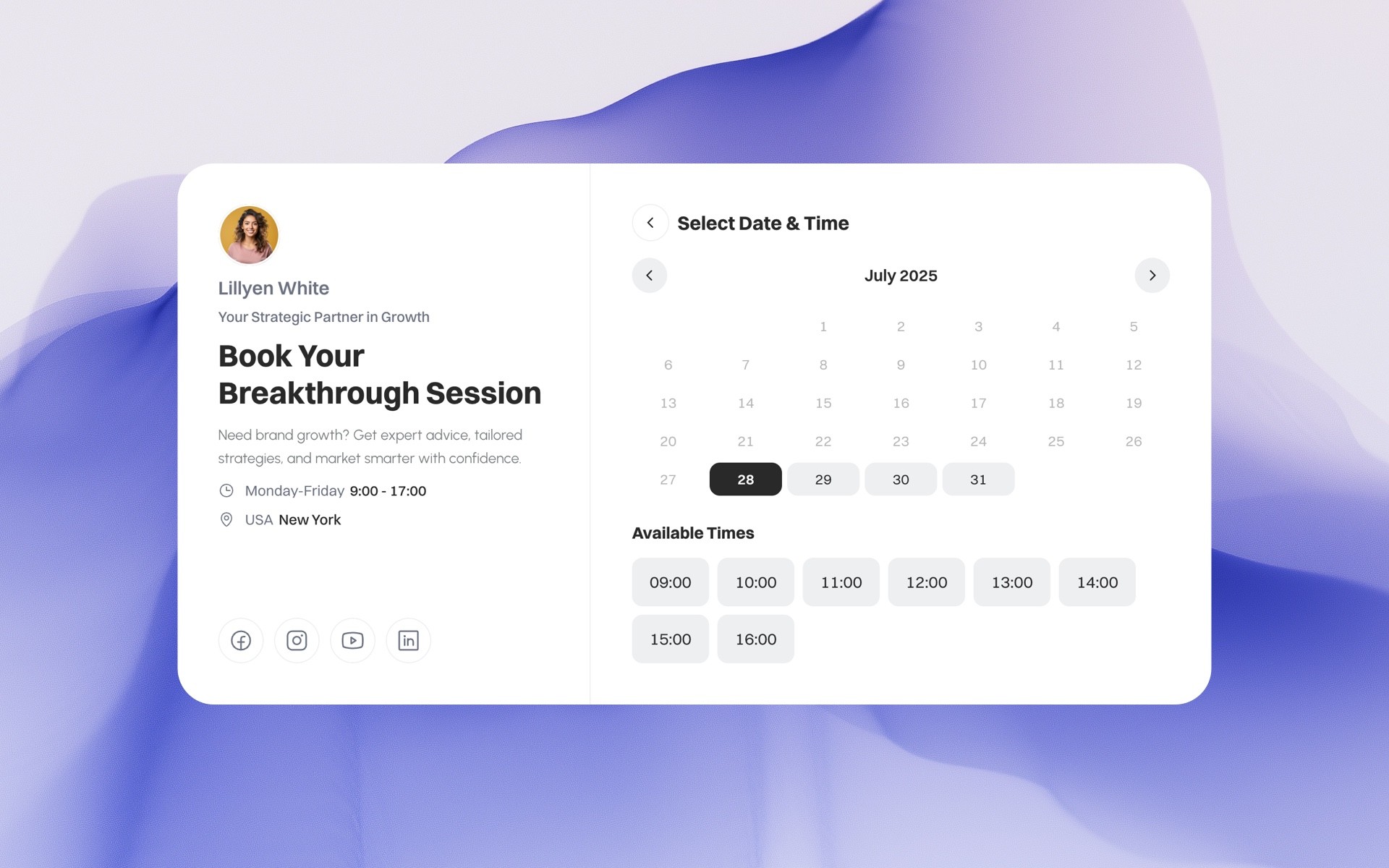
Adding appointment booking to a website used to mean one thing:
servers, databases, integrations, and maintenance.
Today, that’s no longer necessary.
In this guide, you’ll learn how to add appointment booking to any website without building or maintaining a backend, why this approach is often better, and which use cases benefit the most from it.
Whether you’re a founder, consultant, freelancer, or agency, this guide walks you through the simplest and most scalable way to accept bookings online.
Create your appointment booking widget with Supaframe.
Why Appointment Booking Is Still Hard for Most Websites
Many websites still rely on:
email-based scheduling
manual calendar coordination
third-party tools that don’t integrate cleanly
custom-built booking systems that require backend work
Common problems include:
double bookings
no centralized customer data
scattered confirmations and follow-ups
tools that feel disconnected from the website
If you’ve ever tried to add appointment booking to a website, you’ve probably faced at least one of these issues.
What Does “Without a Backend” Actually Mean?
When we say appointment booking without a backend, we mean:
no server to maintain
no database to configure
no authentication logic to build
no custom API setup
no DevOps overhead
Instead, the booking logic, availability rules, submissions, and data storage are handled by a dedicated platform — while your website stays lightweight and static.
This approach works especially well for:
landing pages
marketing websites
Framer or Webflow sites
personal sites and portfolios
client projects and agency work
The Traditional Ways to Add Booking (And Their Downsides)
1. Building a Custom Booking System
This usually involves:
backend framework
database schema
calendar logic
email notifications
security considerations
Downside: expensive, slow, and overkill for most sites.
2. Linking to External Scheduling Tools
Tools like Calendly or similar services are often used.
Downsides:
redirects users away from your site
limited customization
weak data ownership
poor integration with other website interactions
3. Using Form + Manual Scheduling
Some websites collect booking requests via forms and follow up manually.
Downside: inefficient, error-prone, and not scalable.
The Better Approach: Embeddable Appointment Booking
A modern alternative is using embeddable appointment booking components.
This means:
the booking UI lives directly on your website
logic and data live in a separate admin system
no backend setup is required
your site stays fast and simple
This is the approach many modern websites are moving toward.
How Embeddable Booking Works (Step by Step)
Step 1: Create the Booking Component
You define:
appointment types
availability
duration
required fields
All configuration happens in a visual dashboard.
Step 2: Embed It Into Your Website
You can:
embed it directly into the page
use a platform-specific embed (Framer, Webflow)
or share it via a public booking link
No server-side setup needed.
Step 3: Manage Bookings in One Place
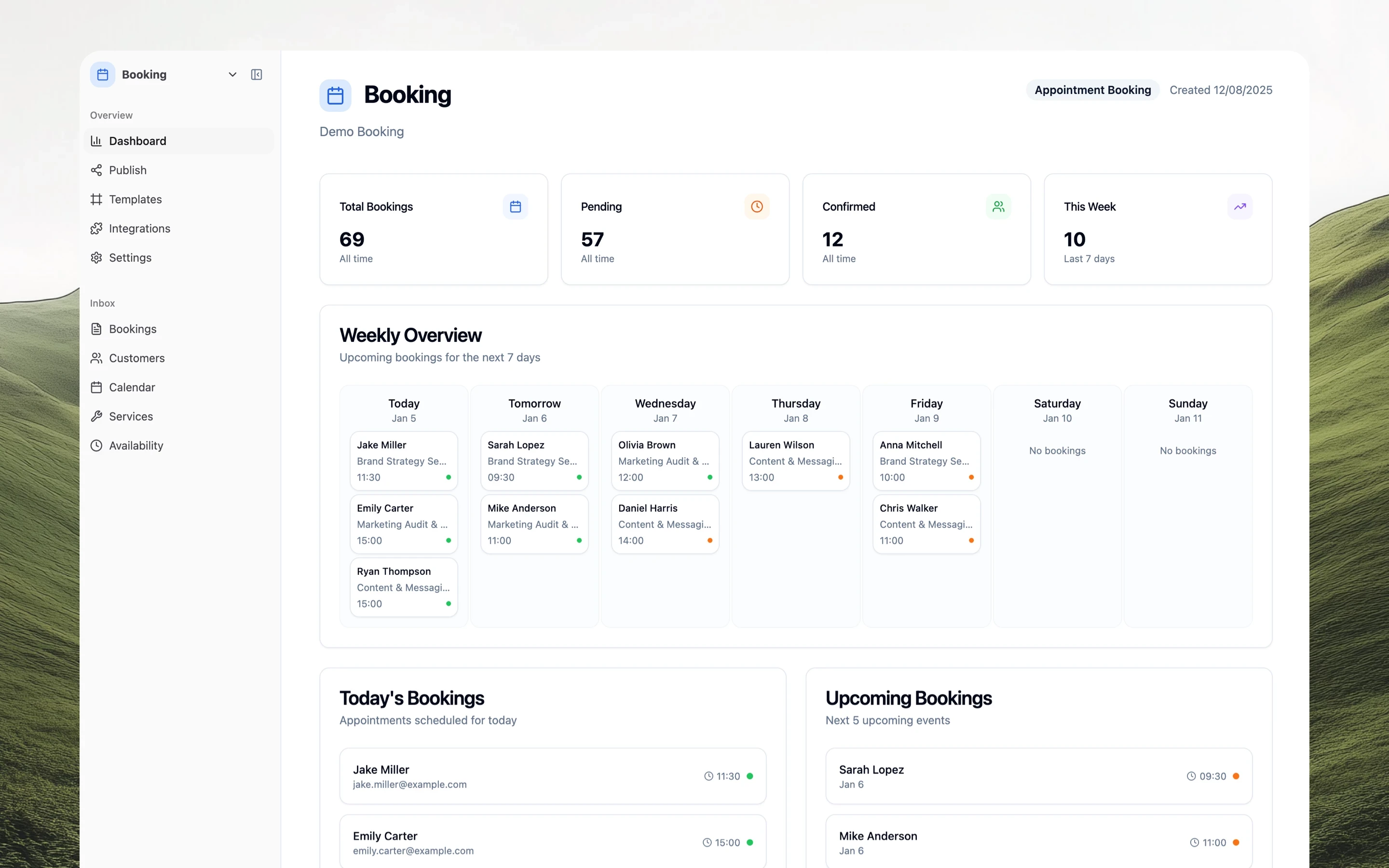
Every booking is stored in a centralized dashboard where you can:
view upcoming appointments
see customer details
export data
manage availability
block time manually
Blocking Time Without Complex Rules (A Big Win)
One of the biggest pain points with booking systems is handling availability changes.
A modern booking setup lets you:
create custom calendar events
block time for breaks
add private meetings
mark vacations or time off
This ensures visitors cannot book during unavailable times, without needing complex availability rules.
This is especially useful for:
consultants
freelancers
founders with irregular schedules
When Public Booking Links Are Better Than Embeds
Embedding booking directly into a website is great — but sometimes a public booking link is even better.
Use public links when:
sharing via email
sending booking links in Slack
adding a booking link to your bio
collecting bookings without a website
Public links remove friction while keeping the same backend logic.
Managing Booking Data Without Spreadsheets
A key advantage of backend-less booking systems is centralized data.
Instead of exporting CSVs or checking emails, you get:
structured customer records
booking history per person
notes and follow-ups
a clean calendar view
This makes it much easier to:
follow up with leads
manage client relationships
collaborate with teammates
Using Appointment Booking in Team Setups
If you work with others, booking systems need to support collaboration.
A modern setup allows:
multiple workspaces
inviting team members
viewer and editor roles
client-friendly access
This is ideal for:
agencies
startups
internal teams
client projects
Sending Booking Data Anywhere (Integrations & Webhooks)
Even without a backend, you’re not locked in.
You can:
send booking data via webhooks
connect to tools like Airtable or Notion
automate workflows with Zapier, Make, or n8n
This means:
bookings can trigger automations
data stays in sync
no manual work required
Who This Approach Is Best For
Backend-less appointment booking is ideal if you:
want to move fast
don’t want to maintain infrastructure
need flexibility
value clean UX
work on multiple websites or client projects
Typical users include:
solo founders
consultants
agencies
no-code builders
marketing teams
Final Thoughts: Booking Shouldn’t Be the Hard Part
Adding appointment booking to a website should not require backend development.
With embeddable booking components, you can:
stay focused on your website
avoid technical complexity
keep data organized
scale when needed
This approach is faster, cleaner, and more flexible — especially for modern, content-driven websites.
Accepting Payments With Your Appointment Bookings
For many websites, booking is only half the workflow — getting paid is the other half.
Modern embeddable booking systems allow you to attach payments directly to appointments, so bookings can be confirmed only after payment.
With this approach, you can offer multiple payment options, depending on how you work:
Stripe payments for credit and debit cards
PayPal for customers who prefer wallet-based payments
Manual bank transfer for invoices, B2B clients, or offline payments
This flexibility is especially useful when working with different types of customers or regions.
For example:
Consultants can require upfront payment before confirming a call
Agencies can accept bank transfers for higher-value bookings
Freelancers can let clients choose between card or PayPal
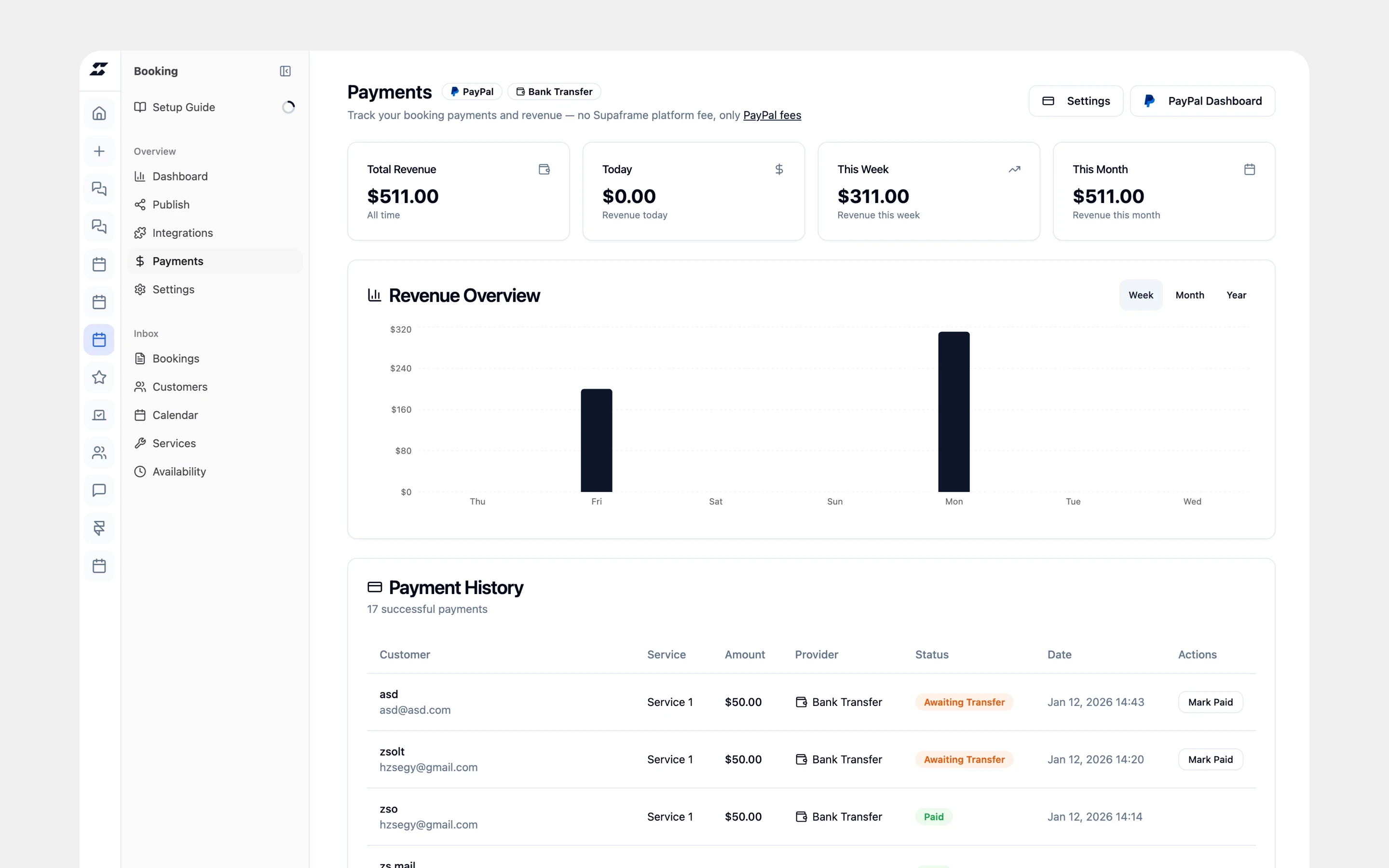
Payments stay tied to the booking itself, so you always know which appointments are paid, pending, or unpaid — without tracking things manually.
How Payments Fit Into a Backend-less Booking Setup
Even with payments enabled, you don’t need to build or maintain any backend logic.
A backend-less booking system handles:
payment checkout
booking confirmation
payment status tracking
customer notifications
All from the same admin dashboard where you manage availability and bookings.
Your website simply embeds the booking component — everything else happens behind the scenes.
This keeps your site fast, simple, and easy to maintain, while still supporting professional payment flows.
Why This Matters for Modern Websites
When booking and payments are disconnected, problems appear quickly:
unpaid bookings
manual invoicing
back-and-forth emails
unclear payment status
Combining booking and payments in one system removes these issues and creates a smoother experience for both you and your customers.
Ready to Add Booking (and Payments) Without a Backend?
If you’re looking for a way to add appointment booking — with optional payments — to any website without backend development, embeddable booking components are the easiest place to start.
You can accept bookings, collect payments, and manage everything from one dashboard — while your website stays lightweight and simple.
Try Supaframe free and create your appointment booking widget in minutes.